How to Check Whether a File Meets Upload Requirements
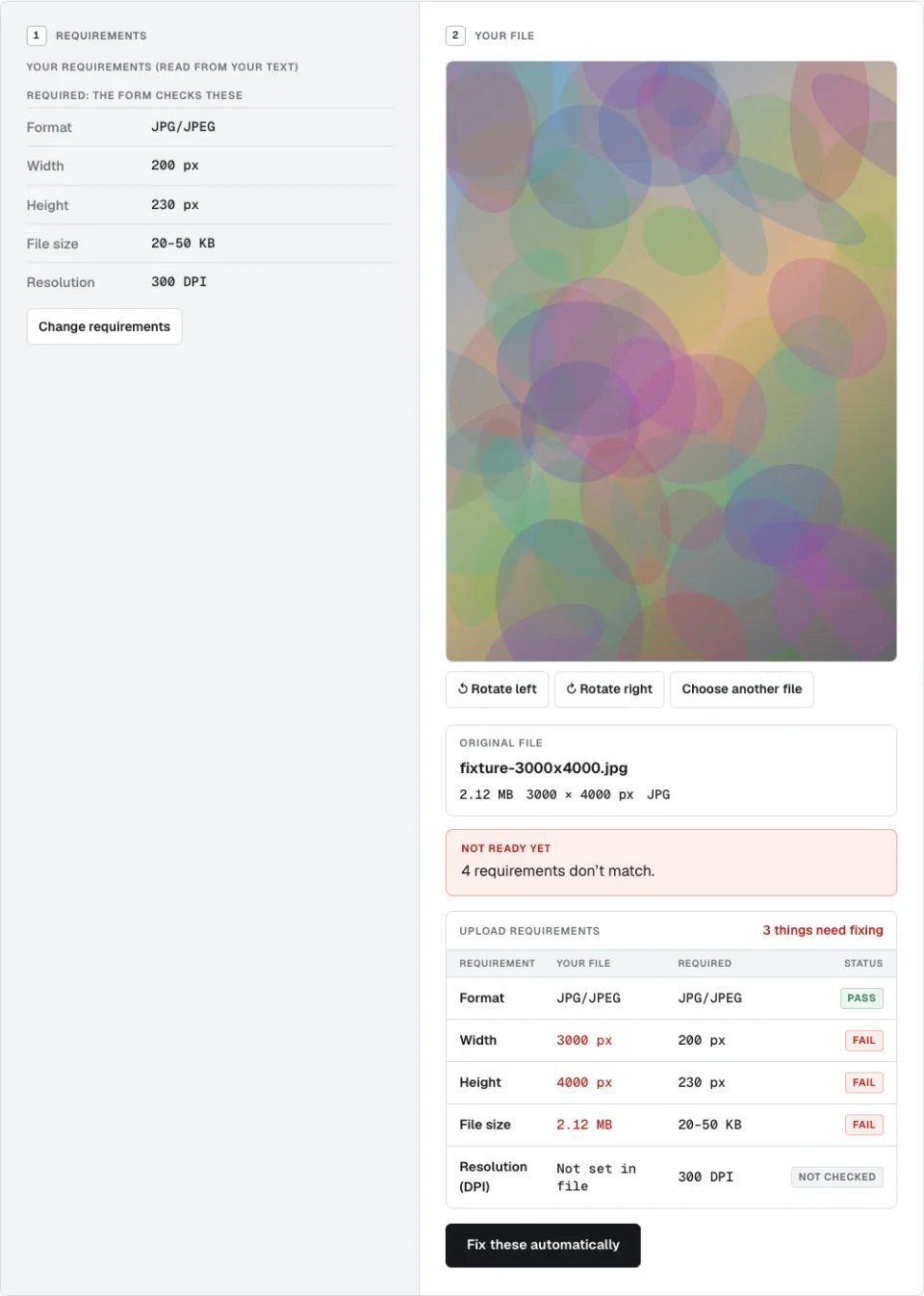
A pass/fail test before the real upload: each rule is shown with your file's actual value beside it. It tells you what the checker can verify, not whether the portal will accept the file.
What the checker tells you
- What it understood. Paste the site’s wording and it shows the rules it read, so you can correct anything. Only clear numbers become rules.
- A row per rule. Format, width, height, file size and DPI each show the required value, your file’s actual value, and a pass or fail.
- What it can’t check. Things like ink colour, whether a face is clearly visible, or whether text is in capitals appear in a “check yourself” list.
Required, preferred and yours to check
Not every line in a notice carries the same weight, and mixing them up is a common mistake.
| Kind | Meaning | Effect |
|---|---|---|
| Required | The form enforces it (such as format and a KB range) | Must pass for “ready” |
| Preferred | A recommended value (such as an exact pixel size) | Shown, never blocks |
| Yours to check | A rule software can’t verify | Listed for you to confirm |
Steps
- Open the Image Requirement Checker.
- Paste the requirements, or fill in the fields. For example: “JPG only, 200 × 230 pixels, maximum 50 KB, minimum 20 KB, 300 DPI”.
- Add your image and read the rows.
- If something fails, Fix these automatically sends the file and the rules to Fix Upload File on your device. Nothing is uploaded to do this.
Good to know
- DPI shows “Not set in file”. The file carries no resolution value, so the row reads NOT CHECKED. A required DPI that isn’t present is not a pass, so it blocks “ready” until the fixer writes one.
- A pasted rule was ignored. We turn only clear numbers into rules. Check the fields it shows you and add anything missing.
- A size on its own (like “50 KB”) is read as a maximum and flagged as assumed, since it could mean something else.
- Images only. It checks image files. For a PDF, use Compress PDF.
What “pass” means
Passing means every rule it can check, and that you gave it, passes. It doesn’t mean the portal will accept the file: some portals enforce checks that aren’t listed publicly. If everything passes and the portal still refuses, re-read the instructions for rules that need a human eye.
When you’re ready to repair rather than just check, see how to fix a file to match exact upload requirements.